Select
Find exactly what needs attention.
Search by title or catalog data, combine filters, and choose all products or only the current result set.
Missing descriptionsVendorProduct typeTagsStatusWith or without images
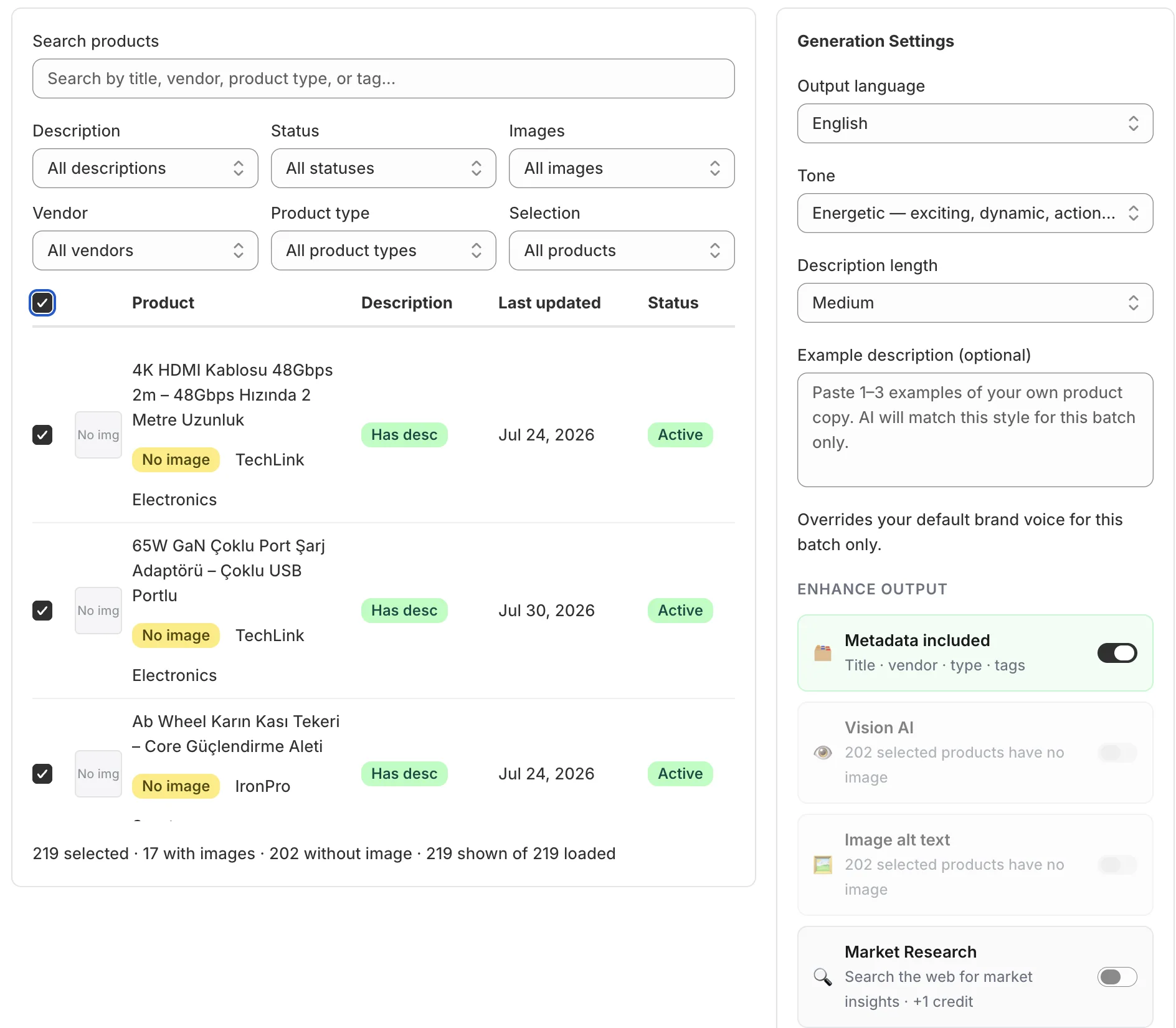
Control the language, tone, length, source details, and AI enhancements behind every draft—then review the result before it reaches Shopify.
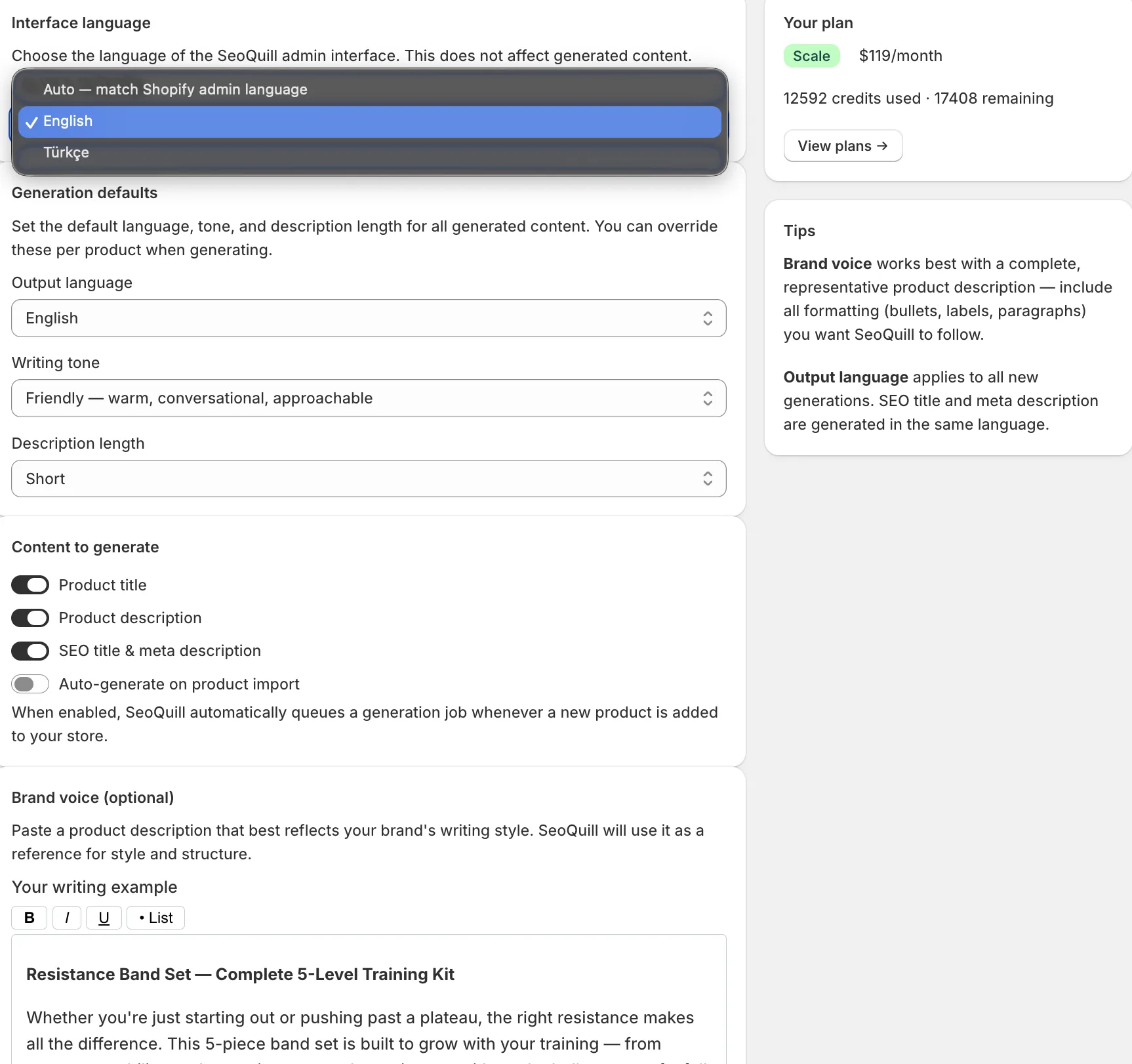
Choose defaults once, then override them only when a product or batch needs something different. Your team starts every generation from the same baseline.
Output languageDescriptions and SEO metadata use the same selected language.
Writing toneChoose a consistent voice for professional, friendly, energetic, luxurious, or technical content.
Description lengthSet short, medium, or long output when the plan supports it.
Brand voicePaste representative copy so SeoQuill can follow its style and structure.
Interface language is separate.The app can follow Shopify’s admin language without changing the language of generated content.
Defaults remain flexible.Single-product and bulk workflows can override the saved language, tone, and length.
Automation stays optional.New product imports enter the generation workflow only when you enable that setting.
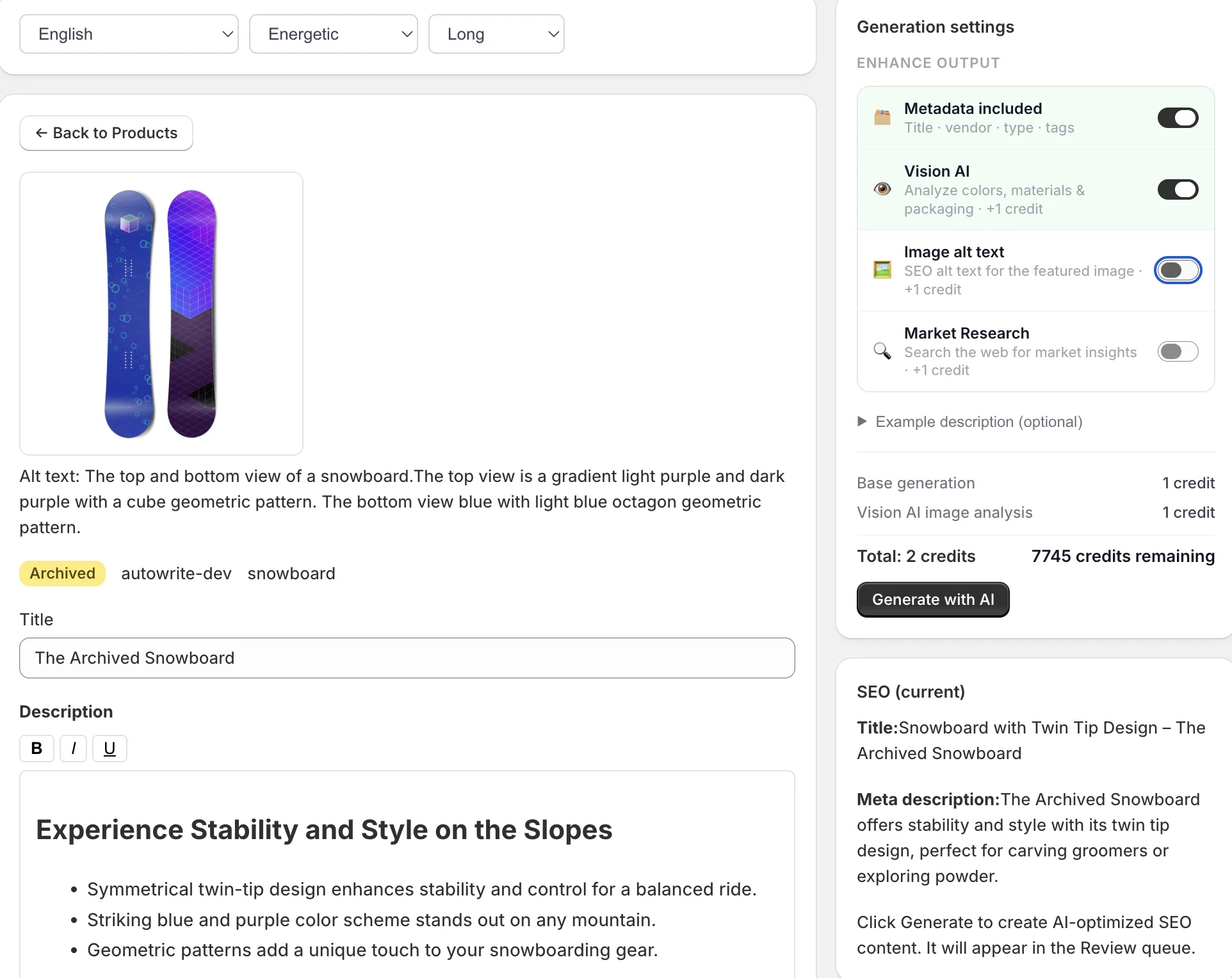
Product title, vendor, type, and tags can guide the draft. Optional image analysis adds visual context, while the credit summary shows the cost before generation begins.
Bulk generation is not an all-or-nothing action. Narrow the catalog to the products that need work, confirm the generation settings, and keep every result visible in History.
Search by title or catalog data, combine filters, and choose all products or only the current result set.
Pending, saved, discarded, and failed generations stay visible with language, credit, and status information.
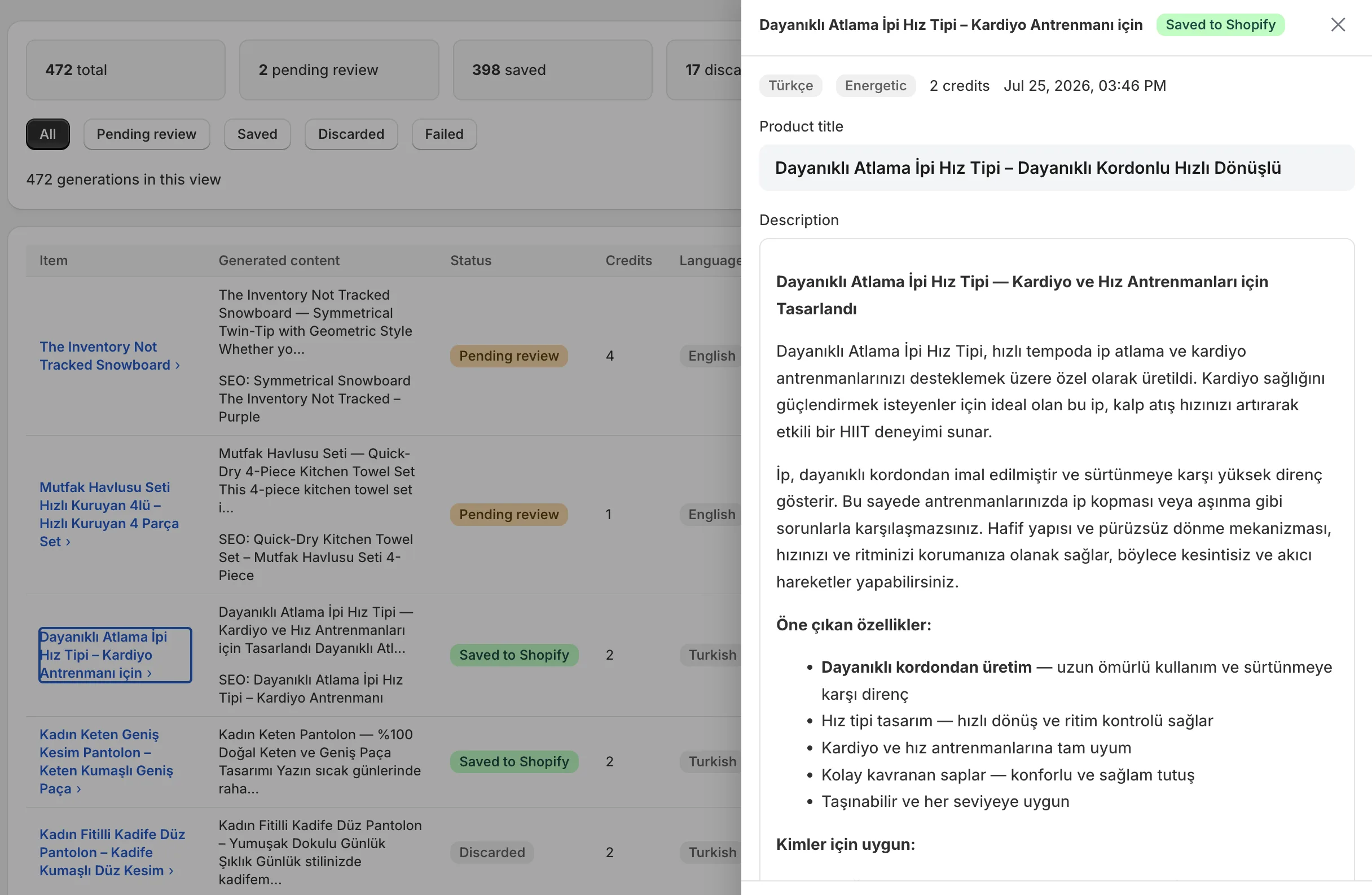
Bulk generation creates drafts. SeoQuill does not silently replace catalog content.
Select an output language for each product or batch. The description, SEO title, meta description, and optional image alt text stay aligned.
Interface languagesSeoQuill’s admin interface is available in English and Turkish.
Start with the core description and SEO workflow, then add scale and visual context as your catalog grows.
Create structured, editable copy for a single product or a filtered catalog selection.
Generate a search-ready meta title and meta description in the same language as the product copy.
Write descriptions and SEO metadata for collection pages, not only individual products.
Run products or collections as a background batch and return to review the results when ready.
Prepare descriptive alt text for the featured product image in the selected output language.
Use the product image as additional context for visual details such as color, material, and style.
Search the web for additional market context when a product needs more than its catalog data.
When enabled, product import can create a generation job for the review queue. The resulting draft still waits for approval before publishing.
Install the app, choose a product, and review the first draft before anything changes in your store.
No credit card required · Shopify billing · Cancel anytime